We use cookies to make your experience better. To comply with the new e-Privacy directive, we need to ask for your consent to set the cookies. Learn more.

Comparing SAS, SATA, NVMe, and CXL SSDs in 2025: A Comprehensive Guide for Sysadmins
Comparing SAS, SATA, NVMe, and CXL SSDs in 2025: A Comprehensive Guide for Sysadmins
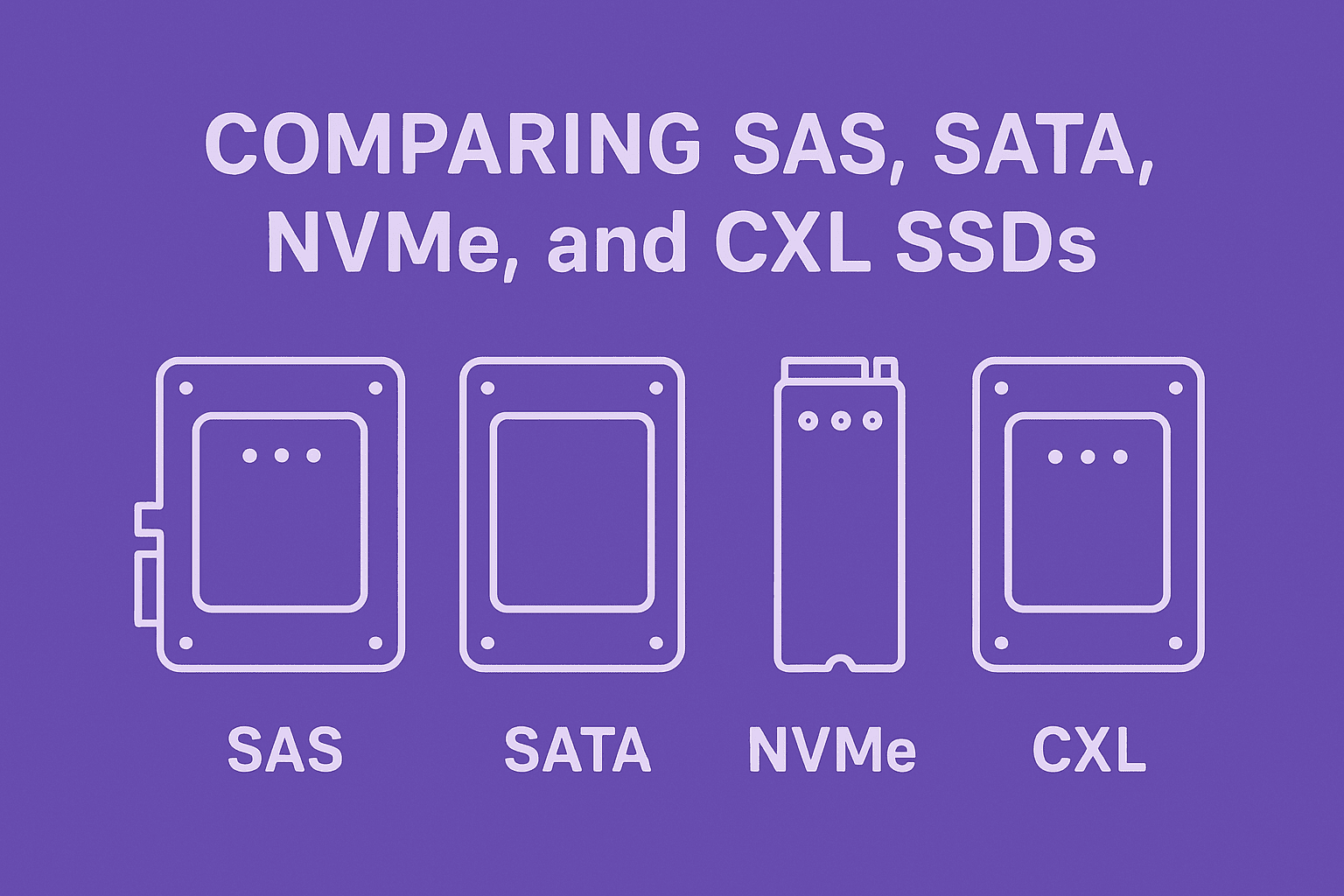
Solid-state storage technologies have diversified significantly over the past decade. As of 2025, system administrators face a range of SSD interface options – from tried-and-true SATA and SAS drives to high-performance NVMe devices and emerging CXL-attached SSDs. Choosing the right type for your infrastructure requires understanding each interface’s architecture, performance profile, enterprise features, scalability, and cost. This guide provides an in-depth technical comparison of SATA, SAS, NVMe, and CXL SSDs, with up-to-date context on real-world adoption and use cases. By the end, an experienced sysadmin will have clarity on when to deploy each technology for optimal results.
Check out our latest Custom Supermicro GPU Servers for all needs.
Architecture and Interface
SATA (Serial ATA): SATA is a legacy storage interface originally designed for spinning disks and later adapted for SSDs. SATA SSDs use the AHCI (Advanced Host Controller Interface) protocol over a serial link (one device per port). The current SATA III standard (revision 3) operates at 6 Gbps theoretical bandwidth (around 600 MB/s). SATA is a simple, cost-effective interface but was not built with flash’s parallelism in mind. It supports only a single command queue (up to 32 queued commands) and relies on interrupt-driven I/O, incurring considerable software overhead. SATA drives typically connect via native motherboard ports or RAID/HBA cards, with a maximum cable length around 1 meter. Compatibility is broad – virtually all systems have SATA support – making it common in PCs, legacy servers, and as a lowest-common-denominator for SSDs. However, its design optimizations (and limitations) stem from the era of HDDs.
SAS (Serial Attached SCSI): SAS is an enterprise-oriented interface that extends the SCSI protocol over serial links. Like SATA, it was initially developed for HDDs, but SAS brought robust enhancements for reliability, multi-device support, and performance. A single SAS link can operate at 12 Gbps in the SAS-3 generation and up to 22.5 Gbps in the current SAS-4 (also called “24G” SAS) standard. Practically, SAS-3 yields ~1.2 GB/s and SAS-4 about ~2.4 GB/s per lane. SAS uses the SCSI command set, which allows for up to 254 queued commands on a single port – much deeper than SATA’s 32. SAS controllers (HBAs/RAID cards) often support expander backplanes, enabling one host port to address dozens of drives. This interface also supports dual-port drives and multi-initiator access, meaning two separate hosts or controllers can concurrently access the same SAS SSD for redundancy or failover. SAS cables can be longer (up to 10–12m) and use robust connectors; notably, SAS backplanes can accept SATA drives as well (SAS controllers will tunnel SATA protocol). In essence, SAS architecture emphasizes high availability and scalability in enterprise environments while maintaining backward compatibility with SATA devices.
NVMe (Non-Volatile Memory Express): NVMe is a storage protocol built from the ground up for flash and modern high-speed interfaces. Unlike SATA/SAS, NVMe isn’t tied to a specific cable or form factor – it operates over the PCI Express bus. Each NVMe SSD typically uses a PCIe interface (often 4 lanes for server drives), allowing it to leverage the massive bandwidth of modern PCIe lanes and direct connection to the CPU. For example, an NVMe SSD on PCIe Gen4 x4 can achieve ~8 GB/s, and on PCIe Gen5 x4 up to ~16 GB/s of throughput in theory. NVMe’s architecture is highly parallel: it supports 65,000 I/O queues with up to 64K commands each, versus the single queue of SAS/SATA. This design drastically reduces I/O wait bottlenecks – an NVMe controller can handle many operations in parallel without the host overhead that legacy AHCI/SCSI impose. NVMe devices typically appear as either add-in cards, M.2 modules, or 2.5” U.2/U.3 drives in servers. The NVMe protocol runs efficiently with fewer CPU interrupts and uses memory-mapped registers, cutting latency. In short, NVMe SSDs are architected for performance, taking advantage of PCIe’s parallelism and bandwidth to overcome the limitations of older storage buses. The trade-off is that NVMe requires newer platform support (modern BIOS/UEFI and operating systems, plus sufficient PCIe lanes), but in 2025 this has become standard in enterprise servers.
CXL-attached SSDs: Compute Express Link (CXL) is the newest interface in this comparison – an advanced cache-coherent interconnect originally designed for linking processors, memory expanders, and accelerators. In the context of storage, vendors have introduced “CXL SSDs”, sometimes called Memory Semantic SSDs (MS-SSD). These devices physically connect via the PCIe bus (like NVMe) but operate using the CXL protocol (typically CXL 2.0 or 3.0 over PCIe 5.0). The key architectural difference is that CXL SSDs can be accessed with memory semantics (load/store byte addressable access via CXL.mem), rather than only I/O block semantics. In practical terms, a portion of an SSD’s capacity can be mapped into the host’s address space as if it were RAM. This means the CPU can read from the SSD with direct memory instructions, bypassing the traditional storage stack and its interrupts. CXL SSDs still use NAND flash as the storage medium, but they include large DDR4/DDR5 caches (e.g. Samsung’s 2TB CXL SSD prototype had 16GB DRAM cache) to mask flash latency. The result is an architecture where the SSD can act as an extension of system memory or as a fast storage device – or a mix of both in “dual-mode” operation. CXL’s protocol supports cache coherence with the CPU and allows sharing resources through switches in advanced setups (multiple hosts could potentially attach to a CXL memory pool). However, as of 2025, CXL SSDs are in early stages: they require the latest CPUs with CXL capability (e.g. Intel Xeon Sapphire Rapids or AMD Genoa) and OS support for CXL memory. In summary, the CXL SSD architecture is a radical shift that blurs the line between memory and storage, aiming for near-memory speed access to persistent data. It introduces more complexity (coherent memory management, new drivers) but promises dramatically lower I/O overhead for certain workloads by treating an SSD like byte-addressable memory.
Performance (Throughput, IOPS, Latency)
Performance differences between SATA, SAS, NVMe, and CXL SSDs are substantial, stemming from their interface designs:
- Throughput (Bandwidth): Legacy SATA/SAS links cap the sequential throughput of attached SSDs. SATA III tops out at ~6 Gbps (0.6 GB/s) per drive. SAS 3.0 (12 Gbps) yields up to ~1.2 GB/s, and the newer 24G SAS doubles that (~2.4 GB/s) per port. In contrast, NVMe drives leverage multi-lane PCIe. A single NVMe SSD on PCIe 3.0 (x4) can reach ~3.5 GB/s; on PCIe 4.0 (x4) ~7–8 GB/s, and on PCIe 5.0 (x4) up to ~14–15 GB/s in ideal conditions. Real enterprise NVMe drives today commonly advertise 5–7 GB/s throughput on reads or writest – an order of magnitude above SAS/SATA. NVMe also scales linearly with additional lanes or drives (limited by host bus bandwidth). CXL SSDs typically use a x4 PCIe 5.0 interface as well, so their raw bandwidth (~16 GB/s theoretical) is comparable to NVMe. In practice, if a CXL SSD is accessed via memory loads, it may achieve throughput similar to DRAM for cached regions and fall back to flash speed for uncached data. Overall, NVMe leads in raw sequential performance among shipping technologies, with SAS next, and SATA far behind. CXL devices have comparable or higher peak throughput potential (since they ride PCIe 5.0) but real-world sustained bandwidth will depend on workload locality and caching.
- IOPS and Concurrency: NVMe was designed to handle massively parallel I/O, which translates to superior IOPS (I/Os per second) capability under load. The NVMe spec supports up to 64K parallel queues with 64K commands each. This means an NVMe drive can accept many outstanding operations concurrently without queuing bottlenecks. High-end NVMe SSDs can deliver 500K to over 1M random 4KB IOPS on reads or mixed workloads, whereas SAS and SATA SSDs typically max out in the low hundreds of thousands of IOPS (and often much less for SATA). SAS drives, using the SCSI protocol, allow a single queue up to 254 deep. In practice a SAS SSD might handle ~200K–300K IOPS if the drive controller and link are saturated. SATA, with a 32-deep queue, often tops out around ~100K IOPS for random reads on high-end SATA SSDs. In heavily multi-threaded or virtualization scenarios, these differences are stark: NVMe will maintain performance under loads that would choke SAS/SATA with queue contention. For example, NVMe’s plentiful queue resources prevent the steep degradation seen in SATA/SAS when many I/O requests pile up. CXL SSDs, when used as memory, bypass the traditional I/O queue model entirely – a load to a CXL memory-mapped SSD address is handled like a memory access (with the device internally managing how that request is served from flash or DRAM cache). Thus, the concept of IOPS for CXL in memory mode is less relevant (it could be measured in memory ops). If used in block mode via CXL.io, performance would be similar to NVMe with high queue depths available (since CXL.io is essentially PCIe). In summary, for maximum IOPS and concurrency, NVMe is the clear winner among conventional storage interfaces, while SAS provides moderate parallelism, and SATA is suitable only for relatively lower queue depths. CXL offers a new paradigm: potentially millions of operations per second when accessed as memory, since it can service cache hits with sub-microsecond responses (as discussed below).
- Latency: Interface latency – the round-trip delay to issue an I/O and get a response – is critical for transactional workloads. SATA and SAS carry more legacy overhead. A SATA SSD must communicate through an AHCI controller with interrupts; a SAS SSD goes through a SCSI stack and often a controller firmware. These add software and hardware latencies on the order of tens of microseconds (on top of the NAND flash access time). By contrast, NVMe was built for low latency, using PCIe and MSI-X interrupts or polling. NVMe drivers and devices can achieve very low overhead – often only a few microseconds of latency beyond the raw media access. For instance, an NVMe read might incur ~20µs of NVMe controller/driver overhead, versus, say, ~60–100µs for an equivalent SATA read operation. This translates to typical end-to-end latencies (including flash media) on the order of ~100µs for NVMe SSDs, ~150–200µs for SAS, and potentially higher for SATA under load (exact numbers vary with device and workload). NVMe’s latency advantage grows when using faster media like 3D XPoint (Optane) – which SATA/SAS could not fully exploit due to stack overhead. Now, CXL SSDs take latency optimization a step further: by using memory semantics, they eliminate the software I/O stack from the path of a cache hit. A load that hits in the CXL SSD’s DRAM cache might be serviced with only the CXL protocol overhead, achieving sub-microsecond latencies – comparable to DRAM (within a factor of 2–3 of local memory speed). Even when data must be fetched from NAND, the CXL path avoids OS interrupt overhead; one study showed that in a high-locality workload an NVMe SSD had 129× the latency of a CXL SSD (which was serving most requests from its memory cache). In low-locality cases (mostly cache misses), the CXL SSD’s latency advantage shrinks – NVMe might be only ~50% slower in those scenarios, since both are then bound by NAND flash speeds. In summary, NVMe provides the lowest latency of the traditional interfaces (significantly outperforming SAS/SATA), and CXL SSDs can further cut latency by treating storage as memory – at least for workloads that can leverage caching or byte-addressable access.
To crystallize these performance differences, the table below compares key metrics:
| Characteristic | SATA SSD (SATA III) | SAS SSD (SAS-3 / SAS-4) | NVMe SSD (PCIe 4.0/5.0) | CXL SSD (CXL 2.0/3.0) |
|---|---|---|---|---|
| Protocol / Bus | AHCI/ATA over Serial ATA bus. One device per port. | SCSI over Serial Attached SCSI. Multi-device fabric via expanders. | NVMe protocol over PCIe bus (typically x4 lanes per drive). | CXL protocol (CXL.io & CXL.mem) over PCIe bus (usually x4 lanes). |
| Max Interface Bandwidth | 6 Gbps per link (≈600 MB/s). | 12 Gbps (SAS-3) ≈1.2 GB/s; 22.5 Gbps (SAS-4 “24G”) ≈2.25 GB/s. | Depends on PCIe generation (e.g. ≈8 GB/s on PCIe 4×4; ≈16 GB/s on PCIe 5×4). | ≈16 GB/s per x4 link (PCIe 5.0). Effective throughput varies with caching (peak similar to NVMe). |
| Typical Latency (R/W) | High: ~100µs+ controller overhead plus flash latency. | Moderate: tens of µs overhead (SCSI stack) plus flash latency. | Low: a few µs overhead (PCIe/NVMe) plus flash latency (total ≈80–100µs). | Very low on cache hits (sub-1µs); on misses, similar to NVMe with flash latency. High-locality workloads see significant latency gains. |
| Max Queue Depth | 32 commands (single queue). | 254 commands (single queue). | Up to 64K queues × 64K entries (virtually unlimited concurrency). | Not directly applicable (memory semantics eliminate explicit queues for loads/stores). Block I/O via CXL.io supports NVMe-like queues. |
| Multi-Drive Scalability | One drive per port (port multipliers exist but are rare and can affect performance). | Many drives per port via SAS expanders (fan-out to 100+ devices). Supports daisy-chaining and use in large drive enclosures. | One drive per PCIe endpoint. Additional drives can be added via PCIe switches or extra slots; NVMe-oF enables remote pooling over a network. | Initially one device per CXL port. CXL 2.0 allows switch-based device pooling; future CXL fabrics (3.0+) are expected to support many devices and hosts in a coherent fabric. |
| Hot-Plug Support | Yes – supported via backplanes/RAID controllers (AHCI supports hot-swap). | Yes – enterprise hot-swap backplanes and controllers fully support insertion/removal of SAS drives. | Yes – supported at the PCIe level. Modern servers allow NVMe hot-plug with proper BIOS/OS support. | Planned – memory hot-add is supported (e.g. adding a CXL memory device on the fly). Hot-remove requires coordinated management (maturing in 2025); full support expected as ecosystem develops. |
| Dual-Port / Multi-Host | No – SATA drives have a single port only. | Yes – most SAS SSDs are dual-ported for two host connections. Multiple hosts can share drives via SAS switches. | Limited – standard NVMe drives are generally single-port, though some enterprise models offer dual-port (two PCIe paths) for high availability; NVMe can also be shared via network fabrics (NVMe-oF) or virtualization features. | Yes (via CXL switches) – a CXL memory device can be partitioned across hosts with a switch (CXL 2.0). Future CXL 3.0 enables memory sharing between many hosts (up to 4096); however, early CXL SSDs in 2025 are typically single-host. |
As shown above, NVMe outstrips SATA/SAS in raw throughput and IOPS by wide margins, while also offering lower latency. SAS improves on SATA with higher bandwidth and enterprise-grade queuing, but both struggle to fully exploit the performance of modern NAND. CXL, though only emerging, has the potential to surpass NVMe in latency-sensitive scenarios by sidestepping the traditional I/O path entirely.
Reliability and Enterprise Features
Beyond speeds and feeds, enterprise deployments care about reliability, data integrity, and advanced features for high availability. Here’s how the interfaces compare on these fronts:
- Proven Reliability and Design Maturity: SATA and SAS have been in use for decades (SCSI roots for SAS, ATA for SATA). SAS in particular has a 30+ year SCSI lineage of robust design and has become the de facto standard in enterprise drive bays. Its protocol includes mature error handling (detailed SCSI sense codes, etc.) and it is known for rock-solid stability in mission-critical systems. NVMe, by contrast, is newer (first standardized in 2014), but by 2025 it has matured significantly. Early concerns about NVMe’s relative youth have been addressed through improvements in drivers and management – NVMe now has a Management Interface (NVMe-MI) built on concepts from SAS’s SCSI Enclosure Services, allowing standardized out-of-band drive monitoring. Still, SAS’s time-tested reliability and huge installed base give it a slight edge for conservative adopters. SATA, while widespread, is considered a consumer/entry interface and lacks many high-end safeguards – enterprise SATA SSDs do exist, but they’re often stripped-down compared to SAS/NVMe counterparts in features.
- Power-Loss Protection & End-to-End Data Protection: Enterprise-grade SSDs, whether SAS or NVMe, usually include power loss protection (PLP capacitors) to avoid data loss or corruption during sudden power failures. SAS SSDs have traditionally "often come with power loss protection and other enterprise features". NVMe enterprise drives likewise usually have PLP and robust firmware for power-fail write consistency. SATA SSDs intended for consumers often lack PLP, though some enterprise SATA models include it. Additionally, SAS drives and controllers support T10 PI (Protection Information), an end-to-end data integrity feature. This adds CRC checksums from the host through the drive, catching data corruption in-flight. NVMe drives can also support end-to-end data protection (using metadata tags similar to T10 PI), but it’s more commonly seen in SCSI/SAS environments. Overall, SAS was built with these safeguards in mind, whereas NVMe has caught up in practice as vendors recognized enterprise requirements. CXL SSDs, being new, inherit reliability features from both the memory and storage world: they will have PLP (as a given, since they contain NAND), ECC on their large DRAM caches, and likely end-to-end CRC for data moved over CXL.mem. However, admins should treat first-gen CXL SSDs cautiously until their firmware and drivers gain a track record.
- High Availability (Dual-Port and Multipath): One of SAS’s hallmark enterprise features is dual-port capability. In a dual-port SAS SSD, two independent controllers (or servers) can be cabled to the drive. If one path or controller fails, the other path still provides access, enabling redundant architectures (common in SAN storage arrays and clustered servers). SAS’s protocol natively supports multipath and failover. NVMe was initially single-port, but the enterprise NVMe world has introduced solutions for HA: some U.2/U.3 NVMe drives include dual-port capability (internally presenting as two NVMe controllers to two hosts). Also, NVMe-oF (NVMe over Fabrics) and multipath I/O in NVMe drivers allow redundant network paths to NVMe storage. While these solutions work, they are not as simple as SAS’s plug-and-play dual-port. For example, a dual-port NVMe SSD is a specialized item, whereas dual-port is standard for SAS drives. SATA has no dual-port or multipath – it’s one host to one drive, which in shared storage setups relegates SATA to being used via SAS interposers or in SAS enclosures when necessary. As for CXL, multi-host access is part of the roadmap. CXL 2.0 introduces switching that lets multiple hosts partition a memory device, and CXL 3.0 even allows true memory sharing among hosts. This could eventually enable new HA models (imagine two servers sharing a CXL SSD as a pool of persistent memory, each having coherent access). In 2025, such usage is experimental at best – initial CXL SSD deployments will likely be single-host, with redundancy achieved at a higher level (e.g., replication).
- Error Handling and Management: SAS drives and HBAs have very advanced error detection and recovery. SAS links use hardware CRC checking and can automatically retry transmissions on link errors, often transparently to the OS. The SCSI protocol also has well-defined responses for various error conditions, which enterprise RAID controllers and OS drivers know how to handle gracefully. SATA error handling is simpler and sometimes less graceful (e.g., a SATA device might retry a failing sector for an extended time, causing I/O stalls unless it’s firmware-limited for enterprise use). NVMe relies on PCIe’s error mechanisms (PCIe will retry packets on CRC error at the link layer). The NVMe protocol itself also supports robust error reporting, and modern NVMe drives have mature firmware with features like async event notifications, temperature/throttling alerts, and so on. One difference has been in management tools – SAS environments typically use comprehensive tooling (enclosure management, SGPIO/SES for drive slots, etc.) that sysadmins have used for years. NVMe, initially lacking a standardized management framework, now has NVMe-MI and support in tools like Redfish and SNIA Swordfish, but adoption is still catching up. By 2025, many enterprise NVMe enclosures come with expander-like switches and management controllers to provide similar enclosure services that SAS backplanes have by default. CXL devices will need equivalent management – for example, monitoring the health of a CXL SSD’s NAND and its cache, or orchestrating firmware updates. Expect management standards for CXL to evolve; early devices might be vendor-proprietary in management software.
In summary, SAS drives excel in enterprise reliability features – dual-port, mature error handling, data integrity checks, and decades of field-hardened firmware. NVMe SSDs have rapidly gained enterprise features and in many cases match SAS drive reliability (e.g., many NVMe drives include dual-port and PLP options now), but the ecosystem is newer. SATA SSDs generally lack many high-end features, making them more suited to non-critical or lower-end enterprise roles where cost is key and the environment is well-understood (or for read-heavy workloads where error rates are low). CXL SSDs bring promise of high availability through memory fabric technology, but initially their reliability will hinge on the underlying NAND and DRAM protections and the stability of the cutting-edge CXL protocol implementation. Sysadmins should watch early CXL deployments closely (perhaps in testbeds or less critical tiers) before trusting them with mission-critical data, despite the exciting technology.
Compatibility and Scalability
When integrating storage into a data center, compatibility with existing systems and the ability to scale out (in capacity or number of devices) are crucial considerations:
- Device Compatibility and Connectors: SATA and SAS have some cross-compatibility by design. A SAS controller can directly handle SATA drives by using a SATA Tunneling Protocol – many enterprise backplanes are dual-purpose, allowing insertion of either SAS or SATA disks (the SAS backplane and HBA will negotiate and run SATA protocol as needed). However, the reverse is not true: you cannot plug a SAS drive into a SATA-only controller/backplane. This means organizations with SAS infrastructure have the flexibility to use cheaper SATA drives for less critical data in the same chassis. NVMe, on the other hand, is entirely separate; it uses PCIe lanes and typically different connectors (M.2 slots or U.2/U.3 ports or EDSFF slots). Many modern servers offer “tri-mode” backplanes or controllers that can support SATA, SAS, or NVMe drives on the same bay, but this requires special hardware (e.g., Broadcom tri-mode RAID controllers and combo backplanes). Without such hardware, adding NVMe drives to a SAS/SATA-based server often isn’t trivial – it might require a new backplane or using PCIe slots for NVMe adapters. As for CXL, it requires a platform that supports CXL at the CPU/chipset level. Only the latest server CPUs (circa 2023 and later) have CXL 1.1/2.0 support, and motherboards need the appropriate slots and firmware. Thus, CXL devices are not backward-compatible with older machines that lack CXL capability (even though they use PCIe physical slots). In practice, using a CXL SSD in 2025 will likely mean you’re deploying on a brand-new server platform designed for it. Administrators must also ensure the operating system is CXL-aware (Linux kernel has added CXL memory support, and Windows Server is expected to follow suit).
- Boot and OS Support: SATA drives can universally be used to boot operating systems – BIOS/UEFI support for SATA has been around forever. SAS drives, with a proper HBA or RAID card, are also broadly supported for boot (enterprise servers typically have firmware that can boot from SAS HBAs). NVMe boot support became standard in UEFI around 2016–2017; any modern server can boot from an NVMe SSD, but very old systems might not recognize NVMe drives as bootable. By 2025 this is mostly a non-issue except in legacy environments – if you are repurposing an old server (pre-UEFI or very early UEFI revision), it might need an update to boot from NVMe. CXL SSDs in memory mode present a new question: you generally wouldn’t “boot” from a CXL memory device in the traditional sense (since it appears as memory, not a disk). However, if part of the CXL SSD is carved out to emulate a block device (via CXL.io), it could theoretically be a boot volume – but this likely requires specific BIOS support that is not common yet. It’s more likely a CXL SSD would be used after boot, with the OS or applications using it for extra memory or fast storage. In short, SATA and SAS have no issues with boot/OS support in traditional roles; NVMe is fully supported in all modern OSes; CXL device support is bleeding-edge, so boot from CXL is not standard practice in 2025 (and not necessary, as NVMe or SATA can handle boot while CXL augments memory/storage post-boot).
- Scalability (Number of Drives): SAS is the clear leader in device scalability for direct-attached setups. A single SAS HBA can address on the order of 255 devices per expander chain (and multiple expanders can be cascaded). It’s routine to see SAS JBOD enclosures with 24, 60, or even 102 drives connected to one or two SAS HBA ports via expanders. The SAS protocol and addressing support large topologies, making it ideal for building massive disk arrays (a major reason it’s dominated large storage for years). SATA by itself supports only one device per port; there are SATA port multipliers that let one SATA port talk to multiple drives, but those are rarely used in enterprise due to performance and support limitations. Instead, if many SATA drives are needed, typically they are attached to a SAS expander backplane (using SATA drives in SAS infrastructure) or to many individual SATA ports on multiple controllers. NVMe direct-attached scalability is constrained by the number of PCIe lanes/ports. A CPU only has so many PCIe lanes; for example, a typical dual-socket server might electrically support 8–24 NVMe drives off the PCIe root complexes (depending on how many lanes per drive and total lanes available). To attach more NVMe SSDs, PCIe switches are used. We are seeing JBOD enclosures for NVMe (sometimes called JBOF – “just a bunch of flash”) which use a PCIe switch to fan-out one upstream PCIe connection to many NVMe drives. These can support dozens of NVMe SSDs in an enclosure, similar to SAS, but each such setup is more complex (it might appear to the host as multiple NVMe devices behind a switch, and require proper BIOS/OS support for that topology). NVMe over Fabrics can extend scalability further by disaggregating storage over a network, effectively allowing hundreds of NVMe drives to be pooled accessible to many hosts, but that ventures into networked storage rather than direct attach.
- Scalability (Performance and Multi-Drive Bandwidth): In multi-drive scenarios, SAS has an advantage that each drive’s link is independent up to the HBA, but if many drives share an expander, they also share the bandwidth of the upstream link. For example, 24 SAS drives might ultimately funnel through a 4-lane wide SAS link (4×12 Gbps) back to a controller, meaning ~4.8 GB/s total for all drives if aggregated. NVMe with PCIe switches similarly can be oversubscribed if not carefully planned (e.g., a x16 upstream feeding many x4 downstream ports). The difference is that NVMe’s raw bandwidth is so much higher per lane that even shared, it often surpasses what SAS can do. By 2025, PCIe Gen5-based switches and backplanes are emerging, which provide extremely high aggregate throughput (tens of GB/s) for NVMe drive groups. CXL’s scalability comes in two forms: capacity and sharing. Capacity-wise, CXL 2.0 allows one host to address multiple CXL devices (and indeed memory expanders in CXL can be huge – multiple terabytes). One theoretical metric: CXL 2.0 supports at least 1.28 PB of attached memory in a pool, far beyond typical needs. For storage-class devices, practically you might see a few CXL SSDs on a system due to slot availability. In terms of sharing, as mentioned, CXL switches will allow multiple hosts to access multiple devices in a flexible fabric by CXL 3.0. That means a composable architecture where, for example, 4 servers might dynamically allocate portions of a large CXL SSD pool for their use. This is very new – standards are in place, but products are just starting. In 2025, a sysadmin planning scalability would consider SAS if the goal is lots of drives on a single system, NVMe if the goal is lots of performance (with moderate number of drives), and CXL in the future for lots of memory-like storage in a disaggregated fashion.
- Interoperability with Existing Infrastructure: A practical note is how each interface fits into existing ecosystems. SATA drives are ubiquitous – they’ll plug into anything with a SATA port. SAS drives need SAS HBAs/RAID cards and typically enterprise-grade enclosures or servers. NVMe drives need newer backplanes or slots – older disk enclosures won’t support NVMe without retrofit. Many enterprise storage arrays as of 2025 still use SAS internally (even if front-end to hosts is SAN/NAS, internally they have SAS backplanes). But newer all-flash arrays often use NVMe internally for performance. There’s also the concept of NVMe-oF as a replacement for SAS SANs – using network fabrics (like Fibre Channel NVMe or Ethernet NVMe/TCP or InfiniBand/RDMA) to connect servers to NVMe-based storage, reducing the need for SAS expanders. CXL is not yet a replacement for traditional SAN or NAS; it’s more likely to augment server-local memory/storage. Over time, as CXL fabrics develop, they could enable rack-level memory pooling that changes how we think of “storage” vs “memory” in clusters.
In summary, SAS shines for large-scale direct attach in terms of device count and compatibility (with the ability to mix SATA drives). NVMe shines for performance scaling, though it requires modern infrastructure and careful planning for large deployments. SATA is straightforward but limited in scale, used either in small numbers or via SAS controllers when many drives are needed. CXL is on the horizon for new scaling paradigms – its impact in 2025 is limited to early adopters, but it promises memory-level scaling of persistent storage in the near future for those preparing for composable architectures.
Cost Considerations
Cost is often the decisive factor once performance and compatibility needs are met. Each interface carries different cost implications, both in terms of $/GB for the drives and the ancillary infrastructure required:
- Drive Cost per GB: As a rule of thumb, SATA SSDs tend to be the cheapest per GB. They often use older controller designs and are built for price-sensitive markets. For instance, high-capacity QLC SATA SSDs can offer very low $/GB, rivaling or even undercutting enterprise HDDs in some cases. SAS SSDs usually command a premium over SATA because they target enterprise use – they may use higher-grade NAND, have dual-port circuitry, and lower volume production. However, SAS can actually be cheaper than NVMe for a given capacity, especially at the high end. Industry observations have noted that SAS architectures can deliver a lower cost per GB than NVMe for high-capacity drives. This is partly because many large enterprise SSDs (e.g., 15TB, 30TB models) were developed in SAS form factor first, and NVMe versions came later at a premium. By 2025, NVMe SSD costs have been falling as the technology commoditizes, but they generally remain higher $/GB than SATA or SAS. NVMe drives tend to use the latest NAND and controller tech for performance, and many enterprise NVMe drives are smaller in capacity (focusing on speed over capacity) – although this is changing with NVMe now used in all-flash arrays. To put in perspective, a mid-range enterprise NVMe might be ~1.5–2× the $/GB of a mid-range enterprise SATA SSD in 2025 (the gap has closed compared to early NVMe days, but a gap remains). CXL SSDs at this stage are likely very expensive. They are essentially specialized NVMe drives with additional hardware (coherent interface, large DRAM, etc.). Early prototypes or limited-run products will carry a hefty premium. There’s not a clear market price yet, but one can assume a CXL SSD might cost several times more per GB than a standard NVMe drive (similar to how Intel Optane persistent memory – which played a similar role to CXL memory – was priced much higher per GB than NAND SSDs). That said, one must consider that CXL SSDs could be cost-saving in certain contexts: if they are used to replace or augment DRAM, the cost per GB relative to DRAM is much lower. For example, DRAM might cost a few dollars per GB, whereas NAND flash is a small fraction of that. So a CXL SSD providing terabytes of additional pseudo-memory can be seen as a cost optimization for memory-intensive workloads (trading speed for capacity at a lower cost/GB than buying huge amounts of DRAM).
- Infrastructure and Operational Costs: SATA has an advantage that controllers are extremely cheap (often on-board SATA ports cost essentially nothing extra). SAS requires SAS HBAs or RAID controllers and SAS expanders for large deployments – these add cost (SAS HBAs can be a few hundred dollars, RAID controllers higher, plus expander backplanes etc.). NVMe can reduce costs in some scenarios by eliminating separate storage controllers – the NVMe drives directly use CPU PCIe lanes, so you might save on RAID card costs. However, NVMe might push cost back into the platform (you may need CPUs with more PCIe lanes, or expensive backplanes or switches). Also, high-performance NVMe benefits from high-end CPUs to drive them (some note that NVMe can consume more CPU in I/O processing than offloaded RAID controllers for SAS). That could indirectly be a cost if it necessitates bigger CPUs. SAS, being an older tech, often has economies of scale in traditional arrays – SAS expanders and HBAs have moderate cost and are well-understood for maintenance. NVMe enclosures (especially NVMeoF appliances) can be pricey as bleeding-edge tech, but this is improving. In terms of power, SAS drives usually consume a bit more power than SATA (due to dual-port electronics and generally beefier controllers). NVMe drives, running at very high speeds, can also consume significant power (especially PCIe Gen4/5 drives with 12 or 14W typical draw). So cooling and power costs might be higher moving from SATA->SAS->NVMe, though NVMe’s greater work done per watt often justifies it. CXL SSDs will likely consume even more power (the 16GB DRAM cache on Samsung’s prototype certainly adds to power usage). But if used as memory extension, the alternative would be DRAM which also consumes power, so it may still be efficient per GB compared to DRAM.
- Longevity and Investment Protection: Many enterprises consider the longevity of a standard when assessing cost. SATA is clearly a declining interface for SSDs – fewer new SATA SSD models are coming to market in 2025, as vendors focus on NVMe. That could mean great deals on SATA SSDs now, but also means eventually it may be harder to source or you end up with a dead-end technology. SAS is also facing a decline in new SSD development (as noted, NVMe is taking over high-speed SSD interfaces). However, SAS will remain prevalent for HDDs and certain SSD use for years – the installed base is huge and vendors like Broadcom and drive makers continue to support it, albeit at SAS-4 speeds for the foreseeable future. NVMe is the interface of the future (and present) for high-performance storage, so investing in NVMe is generally a safe bet that you’re aligning with industry direction. CXL is an emerging tech – investing in it now could future-proof certain aspects (like being ready for memory-centric computing), but it’s also a bit of a gamble since standards and products will evolve rapidly. In cost terms, early adopters of CXL gear may pay more now and need to upgrade sooner as the tech matures.
To summarize cost considerations, the table below gives a rough comparison of typical use-case positioning and relative cost per GB for each:
| SSD Type | Common Use Cases (2025) | Relative Cost per GB |
|---|---|---|
| SATA SSD | - Large-capacity cold storage or archival data (infrequently accessed). - Legacy systems lacking NVMe support – SATA is widely compatible and simple. - Cost-sensitive scenarios where moderate performance is acceptable (e.g. bulk data repositories, read-heavy content stores). |
Lowest – SATA SSDs are the most affordable per GB. NAND commoditization and simpler drive electronics yield lower prices. Ideal when budget is a primary factor. |
| SAS SSD | - Mission-critical enterprise storage in SAN/NAS arrays and servers requiring high reliability and uptime. - Mixed-workload databases and virtualization on systems with existing SAS backplanes. - Environments needing many drives (JBODs) or dual-port failover (shared SAS storage between servers). - Use in tiered storage (fast SAS SSD tier combined with SAS HDDs for capacity). |
Moderate – Generally higher $/GB than SATA. SAS enterprise SSDs carry a premium for extra features (dual-port, advanced error handling, etc.), yet at high capacities they can be more cost-effective than NVMe. They offer a good balance between performance and cost for many enterprise needs. |
| NVMe SSD | - High-performance workloads such as OLTP databases, high-frequency trading systems, or real-time analytics where low latency and high IOPS are crucial. - Virtualization and cloud environments with heavy VM/container I/O (NVMe sustains high IOPS under multi-tenant loads). - AI/ML and big data pipelines requiring fast scratch space or rapid training data access. - Modern all-flash arrays and hyperconverged systems. |
High – Typically the highest cost per GB among mainstream solutions (aside from emerging tech). NVMe’s superior performance comes at a price premium, though the gap is narrowing as prices drop. The cost is justified when performance gains translate to tangible business value. |
| CXL SSD | - Memory extension for large in-memory workloads, e.g. in-memory databases or AI model inference where a CXL SSD provides far more addressable memory than traditional DRAM at a lower cost. - Cache for big data: using a CXL SSD as a high-speed super-cache to accelerate analytics on large datasets that do not fit entirely in RAM. - Early deployments in composable infrastructure testbeds for persistent memory pooling. |
Very High (Emerging) – Early CXL SSDs are expensive specialty devices. Their cost per GB is high compared to standard NVMe because of added DRAM and advanced controllers. However, when compared to DRAM pricing, they can be cost-effective for memory-scale persistence. Costs are expected to normalize as adoption grows. |
SATA is best when budget and capacity trump speed, SAS for balanced enterprise use with reliability, NVMe when performance is paramount, and CXL SSD for niche cases needing memory-like storage despite the high initial cost.
Use Case Recommendations
Finally, based on the above, here are recommendations on when to choose SATA, SAS, NVMe, or CXL SSDs in a sysadmin’s deployment. Each of these interfaces shines in different scenarios:
- When to Choose SATA SSDs: Choose SATA in scenarios where cost per GB and broad compatibility matter more than maximum performance. For example, if you are adding an SSD tier to an older storage server that only has SATA ports, a SATA SSD is the straightforward choice. SATA drives are also suitable for bulk storage of infrequently accessed data – e.g. an archive of project files, backup storage, or “warm” cloud storage nodes – where a few hundred MB/s is sufficient. They can also be useful for boot drives or small read-intensive caches in servers, where NVMe’s speed isn’t essential. Keep in mind SATA’s limited IOPS; if workloads grow more intensive, it may become an I/O bottleneck. But for legacy systems, cold storage, or tight-budget upgrades, SATA SSDs offer an easy and reliable solution. Their low power consumption and cooler operation are bonuses in dense deployments. Just avoid using SATA for very latency-sensitive or highly concurrent workloads – that’s where the other options come in.
- When to Choose SAS SSDs: SAS SSDs are a strong fit for enterprise environments that already rely on SAS infrastructure or that demand high availability. If you’re running a large database on a storage array that supports dual-controller failover, SAS drives with dual-port capability are often mandatory so both controllers can access the data. Choose SAS when you need to maximize the number of drives on a controller – for instance, building a 100-drive storage pool is much more straightforward with SAS expanders than with NVMe as of 2025. SAS is also ideal when mixing SSDs and HDDs in tiers; a SAS backplane might have a tier of fast SAS SSDs for hot data and a tier of 7.2K SAS HDDs for cold data, all accessible through one system. If your workload involves moderate to high IOPS but also needs the rock-solid reliability features of SAS (like guaranteed write ordering, predictable error recovery), SAS SSDs are a safe bet. They are often used in virtualization clusters, OLTP databases, and messaging systems where latency needs are important but can be satisfied by SAS (say 0.2ms) and the environment benefits from SAS’s mature management. However, if ultra-low latency or >1GB/s per-drive throughput is required, NVMe starts to look more attractive. In summary, choose SAS for mission-critical, highly available storage especially if you have a large existing SAS ecosystem or need lots of drives working in concert. SAS drives will deliver consistent performance with enterprise-grade features, albeit at higher cost than SATA.
- When to Choose NVMe SSDs: NVMe should be the default choice for new performance-sensitive deployments. If you are configuring storage for a high-end SQL/NoSQL database server, a big data analytics node, or a virtualization host with hundreds of VMs, NVMe SSDs will provide the IOPS and latency required to keep those workloads running smoothly. NVMe drives excel in AI/ML training servers where GPUs need to stream large datasets – their sequential throughput can feed tens of GB/s to keep GPUs busy (and technologies like GPUDirect Storage are built around NVMe). For hyper-converged infrastructure (HCI) and software-defined storage, NVMe ensures that storage is not the bottleneck: products like VMware vSAN, Ceph, or Microsoft Storage Spaces Direct now commonly use all-NVMe configs for the performance tier. Also, if you’re deploying ultra-fast shared storage over a network (NVMe-oF appliances), the devices inside will be NVMe. Essentially, when you need the lowest latency and highest throughput – NVMe is the answer. Even if your current workload doesn’t saturate NVMe, choosing it can prolong the useful life of a system as demands grow. Do note that to fully benefit, the rest of your system (CPU, network, software stack) must be able to leverage NVMe’s speed; sometimes NVMe drives end up underutilized in workloads that a SAS SSD could handle. But given how NVMe prices have been dropping and its ecosystem maturing, it is often considered the go-to for any new all-flash deployment in 2025 unless there’s a specific reason to use SAS or SATA. One more consideration: NVMe drives lack inherent shared SAS-style multipath – if you need dual-controller shared storage, NVMe might require a different approach (like network replication or using dual-port NVMe models). For single-host high-performance needs, this is usually not a concern.
- When to Explore CXL SSDs: In most mainstream cases, CXL SSDs will not be chosen in 2025 simply because they are very new and not widely available. However, forward-looking sysadmins at technology-leading organizations should consider CXL SSDs for specialized use cases that can exploit their memory-semantic interface. A prime candidate is an in-memory database or analytics engine that is bottlenecked by DRAM capacity. By adding a CXL memory SSD, you could extend memory into the terabyte range at a fraction of the cost of DRAM, and the software (if designed for persistent memory) can access it directly with loads/stores. Workloads such as large graph analytics, genome processing, or AI inference on huge models might benefit – essentially, data that doesn’t fit in RAM but is accessed with high locality (so the CXL SSD’s cache can serve most requests with low latency). If you were considering technologies like Intel Optane DC Persistent Memory in the past, CXL SSDs are the heir-apparent to that role, now in an open-standard way. Another scenario is memory pooling in a data center: if you want to experiment with disaggregated architecture, a CXL SSD could be placed in a memory pool appliance and divided among several hosts, something NVMe can’t do at the byte level. That said, these are cutting-edge experiments. Sysadmins should choose CXL SSDs only when the workload demands a blend of memory and storage characteristics – for example, an application that can use DAX (Direct Access) mode to treat storage as memory, or a scenario where the ultimate latency gains (or memory footprint gains) justify working with emerging tech. Expect that initial deployments will require close collaboration with vendors and careful tuning. For now, CXL SSDs are recommended for HPC, research, or very high-end enterprise deployments looking to push the envelope in AI or big-data processing. Over the next couple of years, as standards solidify and more products hit the market, CXL-based storage may become a more mainstream option for general workloads as well.
Conclusion
The storage interface landscape in 2025 offers a spectrum of options, each suited to different needs. SATA SSDs remain relevant for cost-effective capacity and broad compatibility, even as their performance limits are easily outpaced by newer technologies. SAS SSDs continue to serve as the dependable workhorses of enterprise storage, blending good performance with excellent reliability, especially in systems that require lots of drives or high availability features. NVMe SSDs have established themselves as the performance leader in almost every dimension – any environment craving speed and low latency is gravitating toward NVMe, which has become the new standard for flash storage interfaces. Meanwhile, CXL SSDs are on the horizon, hinting at a future where the line between memory and storage blurs, and where we can have ultra-large, byte-addressable persistent data stores with unprecedented efficiency. For today’s sysadmin, the key is to match the tool to the job: evaluate your workload’s needs in throughput, IOPS, latency, scalability, and budget. It may even make sense to deploy a combination (for instance, NVMe for a hot tier and SATA for a cold tier, or NVMe for primary database logs with SAS for large data stores, etc.). Keep an eye on CXL developments as they move from lab to production – they could solve problems of tomorrow that are difficult to tackle with current tech. By understanding the strengths and trade-offs of SATA, SAS, NVMe, and CXL SSDs, you can architect a storage solution in 2025 that is optimized for both performance and cost, while being ready for the evolution of enterprise storage in the years ahead.
Related Products


1 Comment(s)
Rob
Jul 15, 2025 08:34
You didn't include SCM (Storage Class Memory SSDs).