We use cookies to make your experience better. To comply with the new e-Privacy directive, we need to ask for your consent to set the cookies. Learn more.

Parallel Processing on PCIe 5.0: Configuring Multi-Processor and Multi-GPU Servers

Posted:
April 08, 2025
Categories:
General Topics and News
Parallel Processing on PCIe 5.0: Configuring Multi-Processor and Multi-GPU Servers

As data centers push the boundaries of performance and efficiency, modern server architectures have evolved to meet the demands of data-intensive workloads. PCI Express (PCIe) 5.0 has emerged as a key enabler for high-bandwidth, low-latency communications between server components. In particular, its role in facilitating parallel processing across multi-processor and multi-GPU environments is reshaping how enterprises tackle complex computational tasks such as AI training, high-performance computing (HPC), and real-time analytics.
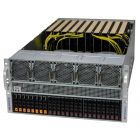
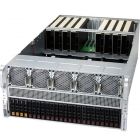
Check out our latest Custom Supermicro GPU Servers for all needs.
PCIe 5.0: A Technical Overview
Before delving into parallel processing architectures, it is important to understand the core technical features of PCIe 5.0 that make it a game changer:
- Double the Bandwidth: PCIe 5.0 doubles the per-lane throughput compared to PCIe 4.0, offering up to 4 GB/s per lane. In x16 configurations, this translates into an impressive 64 GB/s of raw bandwidth.
- Reduced Latency: Enhanced signaling protocols and improved physical layer designs help reduce latency, which is crucial for parallel processing applications.
- Enhanced Signal Integrity: Advanced materials, improved PCB design techniques, and refined equalization methods ensure robust communication even at high frequencies.
- Backward Compatibility: PCIe 5.0 maintains interoperability with previous generations, ensuring that new systems can integrate legacy components alongside cutting-edge accelerators.
These features not only boost raw data throughput but also provide the necessary framework to support complex multi-device configurations crucial for parallel processing environments.
If you want detailed information specifically on PCIe 5.0 and its comparison with previous generations, please refer to our previous blog: PCIe 5.0 and Beyond: Impact on Server Performance and Scalability. This article, however, focuses on the technical intricacies and practical configurations for enabling parallel processing on PCIe 5.0-based systems.
The Parallel Processing Paradigm in Modern Servers
Parallel processing involves the simultaneous execution of multiple tasks across various processing units. In the context of PCIe 5.0-based servers, parallel processing is achieved by interconnecting multiple CPUs and GPUs to work in unison on a single task or across multiple concurrent tasks. The benefits of this approach include:
- Increased Throughput: By distributing workloads among several processors and GPUs, tasks can be executed more quickly.
- Scalability: Systems can be scaled horizontally (adding more processing units) or vertically (upgrading existing units) without redesigning the entire architecture.
- Fault Tolerance: Redundancy across multiple processing elements enhances system resilience and uptime.
PCIe 5.0’s significant boost in data transfer rates ensures that the communication bottlenecks often encountered in parallel processing architectures are minimized. This makes it possible to implement highly efficient multi-processor and multi-GPU configurations without compromising performance.
Configuring Multi-Processor Servers on PCIe 5.0
Architectural Considerations
When designing a multi-processor server utilizing PCIe 5.0, several factors must be considered:
- Processor Topology: Determine whether a symmetric multiprocessor (SMP) or non-uniform memory access (NUMA) architecture is optimal. NUMA configurations, in particular, require careful memory allocation and interconnect planning to maximize performance.
- PCIe Lanes Distribution: Ensure that each processor has access to sufficient PCIe lanes. The allocation of lanes must consider the bandwidth needs of attached devices such as GPUs, storage controllers, and network adapters.
- Inter-Processor Communication: High-speed links between processors, often implemented via technologies like Intel’s UPI (Ultra Path Interconnect) or AMD’s Infinity Fabric, are crucial. PCIe 5.0’s role is to complement these interconnects by efficiently managing peripheral communications.
Practical Configuration Steps
Step 1: Hardware Selection
- CPUs: Choose processors that support high PCIe lane counts. For instance, server-grade CPUs from Intel’s Xeon Scalable family or AMD’s EPYC series offer robust lane allocations.
- Motherboard/Chassis: Select a motherboard designed to accommodate multi-processor setups with adequate PCIe 5.0 slot provisioning and optimal cooling mechanisms.
- Interconnect Modules: Ensure compatibility with inter-processor communication modules that are optimized for high-frequency data exchange.
Step 2: BIOS and Firmware Configuration
- PCIe Lane Mapping: Configure the BIOS settings to appropriately map PCIe lanes to each processor. This often involves setting specific lane priorities to ensure that critical devices such as GPUs receive maximum bandwidth.
- NUMA Optimization: Enable and fine-tune NUMA configurations, balancing memory allocation across processors to reduce latency in data access.
- Firmware Updates: Keep system firmware updated to support the latest PCIe 5.0 features and resolve any potential compatibility issues.
Step 3: Operating System and Driver Tuning
- Kernel Tweaks: For Linux-based systems, tweak kernel parameters to optimize PCIe performance. This may include adjusting I/O scheduling parameters and interrupt coalescing settings.
- Driver Optimization: Ensure that drivers for CPUs, GPUs, and other PCIe devices are up-to-date and configured to leverage PCIe 5.0 enhancements. Vendor-specific tuning can also play a significant role in optimizing performance.
Step 4: Benchmarking and Validation
- Synthetic Benchmarks: Use benchmarking tools such as lmbench or IOR to validate that the system achieves the expected PCIe 5.0 throughput.
- Real-World Workloads: Run application-specific workloads to ensure that multi-processor configurations can handle parallel tasks efficiently.
- Thermal and Power Analysis: Monitor system temperatures and power consumption to ensure that increased throughput does not lead to thermal throttling or excessive energy usage.
Configuring Multi-GPU Servers on PCIe 5.0
GPU Clustering and PCIe 5.0
Multi-GPU servers are increasingly popular for AI, machine learning, and rendering workloads. PCIe 5.0 enables efficient clustering of GPUs by providing the necessary bandwidth and low latency required for data-intensive applications.
- Direct GPU-to-GPU Communication: PCIe 5.0 facilitates faster direct communication between GPUs, reducing the latency involved in data shuffling between units.
- Scalable GPU Arrays: By ensuring that each GPU is connected via high-bandwidth PCIe links, systems can scale out GPU clusters without sacrificing performance.
Best Practices for Multi-GPU Configurations
Optimal Slot Allocation
- Balanced Distribution: Distribute GPUs across available PCIe slots to ensure even load balancing. In multi-GPU systems, avoid concentrating GPUs on a single processor’s lane group if it might lead to contention.
- Consider PCIe Switches: In cases where native lane availability is insufficient, PCIe switches can help aggregate lanes from multiple sources. Ensure that these switches are PCIe 5.0 compliant to avoid performance degradation.
Cooling and Power Delivery
- Thermal Management: GPUs generate significant heat. Utilize advanced cooling solutions such as liquid cooling or high-efficiency air cooling systems to maintain optimal operating temperatures.
- Power Supply Considerations: Ensure that the server’s power supply can deliver consistent, high-current power to multiple GPUs simultaneously. Redundant power supplies and efficient power distribution boards are recommended.
Software and Workload Distribution
- Parallel Frameworks: Use parallel processing frameworks such as CUDA for NVIDIA GPUs or ROCm for AMD GPUs to manage workload distribution effectively.
- Load Balancing Algorithms: Implement intelligent scheduling algorithms to balance workloads across GPUs, ensuring that no single unit becomes a performance bottleneck.
- Monitoring Tools: Integrate monitoring tools that track GPU utilization, temperature, and power consumption in real time. Tools like NVIDIA’s DCGM (Data Center GPU Manager) can be invaluable.
Integrating Multi-Processor and Multi-GPU Configurations
Unified Architecture Design
When combining multi-processor and multi-GPU configurations, the architecture must be carefully designed to ensure seamless data flow between the CPUs and GPUs. Key points to consider include:
- Shared Memory Pools: Design systems with large, shared memory pools that can be accessed by both processors and GPUs. Efficient memory allocation strategies help minimize data transfer delays.
- Interconnect Bottlenecks: Identify and address potential bottlenecks in the PCIe topology. In some cases, dedicating specific PCIe lanes for GPU-to-CPU communication may be beneficial.
- Software Middleware: Utilize middleware solutions that abstract the complexities of the hardware. Libraries such as OpenCL and SYCL provide a unified programming model for heterogeneous computing.
Case Study: An End-to-End Configuration
Consider a server designed for high-end AI training workloads that leverages dual AMD EPYC processors and a cluster of four NVIDIA GPUs. The configuration might include:
- Dual-Processor Setup: Each EPYC CPU is allocated 128 PCIe lanes. The lanes are partitioned so that one subset connects to high-speed NVMe storage and the other to GPUs.
- GPU Allocation: Two GPUs are directly connected to each processor using dedicated PCIe 5.0 x16 slots, ensuring maximum bandwidth for data-intensive AI computations.
- Interconnect Strategy: High-speed interconnects (such as Infinity Fabric bridges) link the dual-processor architecture, while PCIe switches are employed to manage lane distribution and ensure that the GPUs communicate effectively with both CPUs.
- Software Stack: The server runs a Linux-based OS with a customized kernel optimized for NUMA and high-throughput PCIe operations. The workload is managed by a containerized orchestration platform that leverages Kubernetes with GPU scheduling plugins.
This configuration demonstrates how careful hardware and software coordination can result in a highly efficient, scalable parallel processing system that takes full advantage of PCIe 5.0’s capabilities.
Overcoming Technical Challenges
While PCIe 5.0 provides significant benefits, several challenges must be addressed to ensure optimal parallel processing:
Signal Integrity and High-Frequency Design
- PCB Layout: At 32 GT/s per lane, ensuring proper PCB trace design is crucial. Impedance matching, minimizing crosstalk, and using high-quality substrates can help maintain signal fidelity.
- Connector Quality: The connectors and cables used must be rated for PCIe 5.0 speeds to prevent signal degradation.
- Advanced Equalization: Employing dynamic equalization techniques helps counteract losses due to high-frequency transmission over longer distances.
Thermal Management
- Hotspot Mitigation: Both CPUs and GPUs generate significant heat under heavy loads. Design strategies should include distributed cooling arrays and thermal sensors to monitor and manage hotspots.
- Dynamic Cooling Solutions: Consider integrating adaptive cooling systems that adjust fan speeds or liquid cooling flow rates based on real-time thermal data.
Software Optimization
- Driver Latency: Ensuring that device drivers are fully optimized for PCIe 5.0 is essential. Collaboration with hardware vendors to fine-tune driver settings can yield significant performance improvements.
- Resource Allocation: Operating systems must efficiently schedule tasks across multiple processors and GPUs. Custom scheduling policies may be necessary for high-demand environments.
Best Practices for System Design
Holistic System Analysis
- Benchmarking: Regularly benchmark the system using both synthetic and real-world workloads. Use the data to continuously refine the configuration.
- Iterative Tuning: System performance can often be improved incrementally. Periodic reviews of BIOS, firmware, and driver settings help maintain peak efficiency.
- Thermal and Power Audits: Regularly audit the system’s thermal and power profiles to identify potential inefficiencies or risks of thermal throttling.
Collaboration Between Hardware and Software Teams
- Interdisciplinary Approach: Effective parallel processing requires close collaboration between hardware engineers, system architects, and software developers.
- Feedback Loops: Implement feedback loops where software optimizations inform hardware configuration adjustments, and vice versa.
Documentation and Training
- Technical Documentation: Maintain detailed documentation on system configurations, performance benchmarks, and best practices. This serves as a valuable resource for troubleshooting and future upgrades.
- Training Programs: Ensure that the IT operations team is well-versed in the nuances of PCIe 5.0 technology, multi-processor configurations, and GPU acceleration.
Conclusion
PCIe 5.0 has established itself as a pivotal technology in modern server architectures, particularly for applications requiring extensive parallel processing. By enabling high-bandwidth, low-latency communications between multiple CPUs and GPUs, PCIe 5.0 paves the way for the next generation of high-performance computing systems.
In this article, we explored the technical aspects of configuring multi-processor and multi-GPU servers optimized for parallel processing. We covered hardware selection, BIOS and firmware tuning, software optimization, and real-world configuration examples. We also discussed challenges such as signal integrity, thermal management, and the importance of holistic system design.
As enterprises continue to demand greater performance and scalability, mastering the configuration of advanced PCIe 5.0 systems becomes increasingly critical. We hope that the insights provided here will serve as a valuable guide for IT professionals and system architects looking to leverage the power of parallel processing in next-generation server environments.
Related Products


Comment(s)